Missing-estimate list
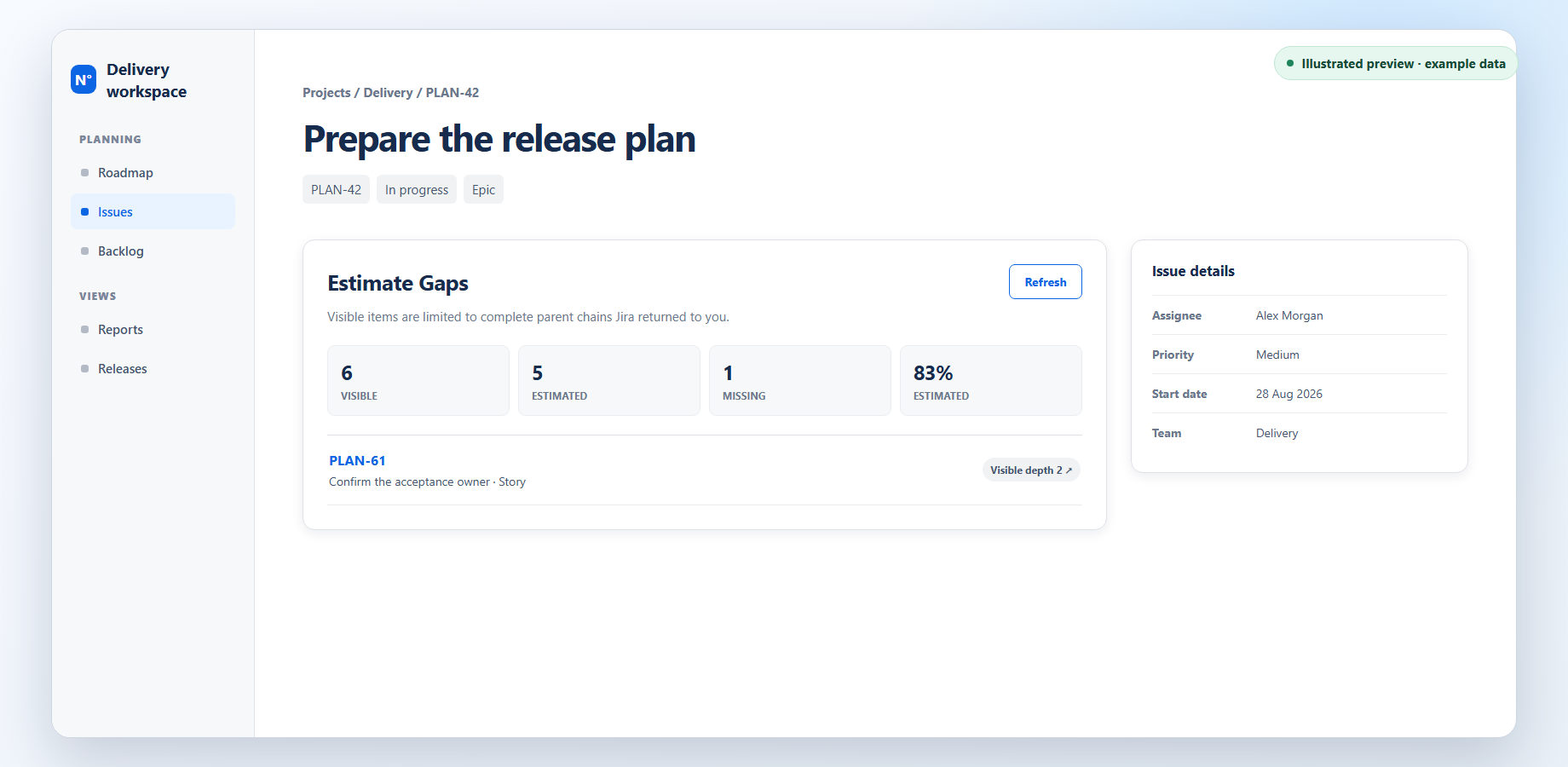
See estimated and missing counts, with each gap marked as direct or nested.
Original Estimate cleanup in Jira
Open a parent issue to see the gaps Jira can show you. Open a gap in a new tab, add the estimate, then return to the parent and refresh. The previews use example data.
What it does
Find missing Original Estimates in the Jira hierarchy you can see.
See estimated and missing counts, with each gap marked as direct or nested.
See a clear incomplete or unavailable state when the panel cannot safely finish a scan.
Refresh after Jira indexes your edit to check that the item has left the gap list.
The workflow
Estimate Gaps works inside a Jira issue. It reads the hierarchy visible to the current viewer and lists items missing an Original Estimate. It never edits Jira or saves gap rows or hierarchy data.
Expand Estimate Gaps in the Jira issue details area.
Open the gap in a new tab and update Original Estimate using normal Jira permissions.
After Jira indexes the edit, refresh to check that the item has left the list. If the scan cannot finish safely, the panel shows an incomplete or unavailable state instead.
Visible work
See a focused repair list built from the part of the hierarchy you can access. The previews use example data, not a customer project.
After the edit
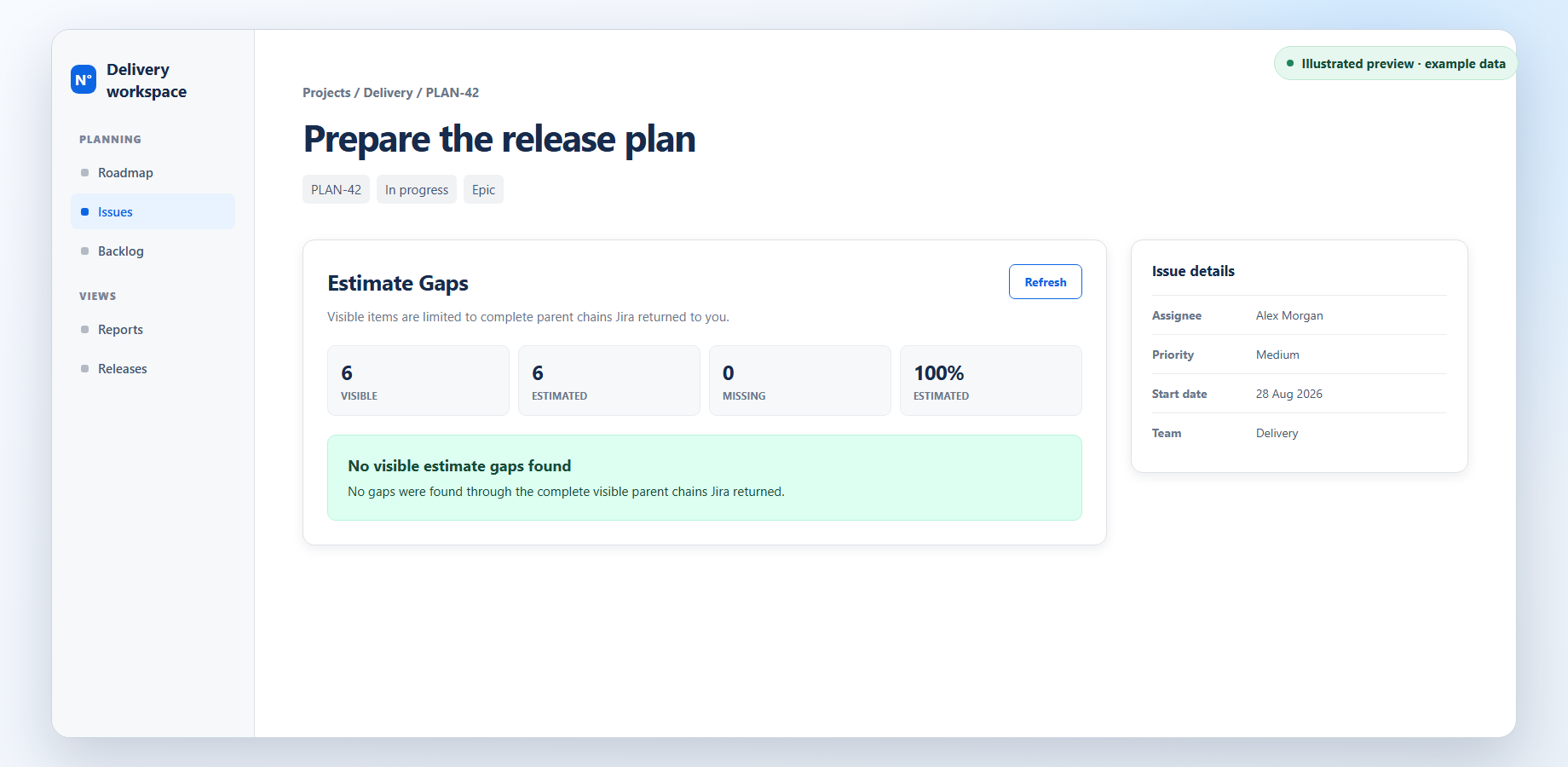
Estimate Gaps reads the hierarchy again. When Jira returns the updated estimate, the repaired item disappears from the gap list.
Safe result boundary
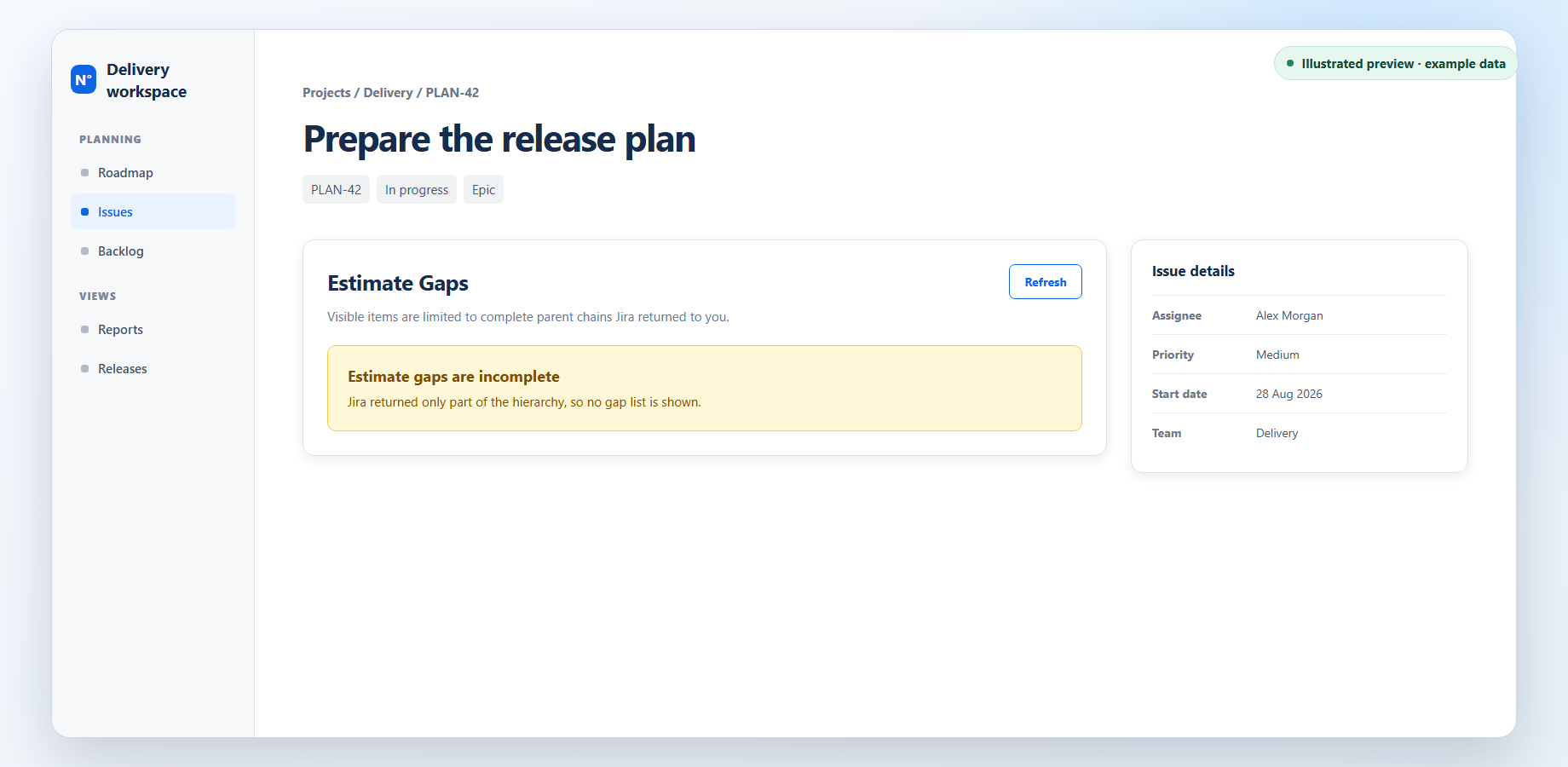
If Jira cannot return enough information for a safe result, Estimate Gaps shows no rows and tells you that the scan is incomplete.
FAQ
It lists items missing an Original Estimate when Jira can trace each item back to the issue you opened through work you can see. A completed result also shows visible descendant, estimated, and missing counts, plus a rounded estimate percentage. A zero estimate is valid and is not a gap.
Open the gap in a new tab and update Original Estimate in Jira. After Jira indexes the change, return to the parent and select Refresh. Jira indexing and your access still determine the next result.
The panel shows no list when Jira cannot provide a complete, safe view of the hierarchy. This can happen when access changes, a response is incomplete, the hierarchy exceeds the app's limits, or the check takes too long.
No. It can read Jira data for the issue you open, but it does not change Jira or save issue details, gap rows, or hierarchy data. The data-practices page covers retention for earlier development releases.
Not yet. This page is a product preview, not an installation offer. Public installation and trials will open only after a safe release is accepted for Marketplace distribution.
In development
This product is being prepared for release. Public installation and trials are not open yet.